

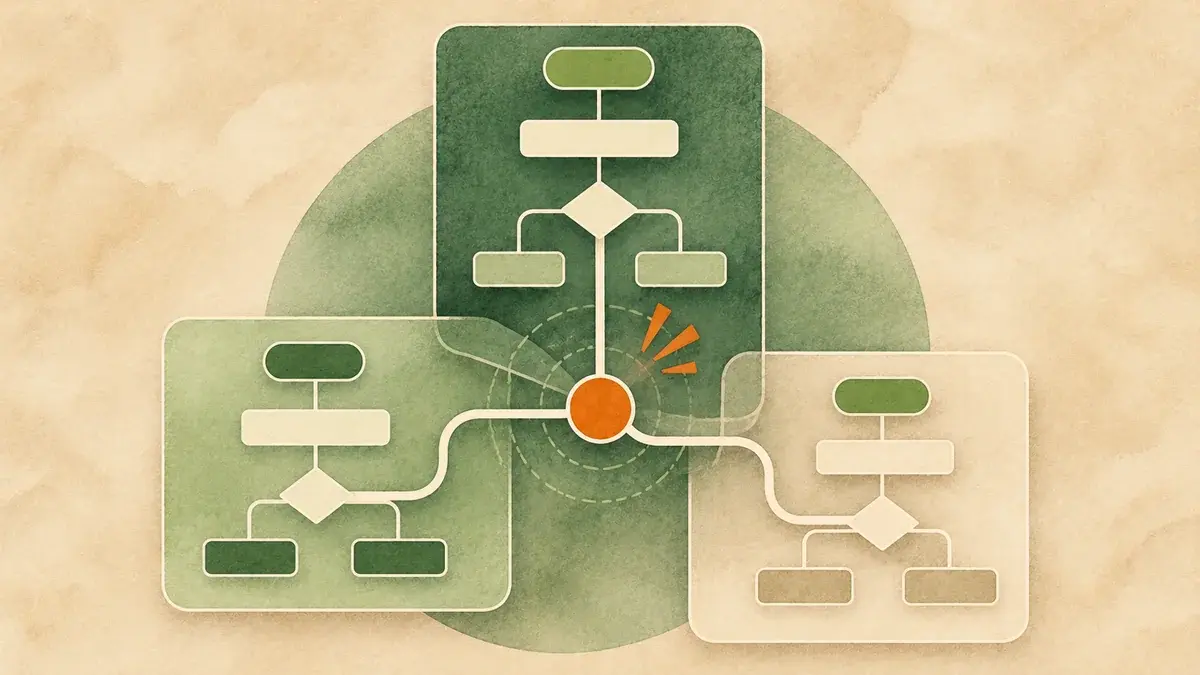
TL;DR When lifecycle stages jump around and leads land with the wrong owner, the cause is rarely one bad workflow. It is usually two or more automations writing to the same property under different rules, and HubSpot lets the last write win without an error. Find the conflict by starting from the property, not the workflow list: read property history on records that misbehaved, list every source that writes to lifecycle stage and owner, and look for writes that collide. The fix is one property, one writer.
A contact is an SQL on Tuesday and a Lead on Wednesday. A new inbound request gets routed to a rep, and an hour later it belongs to someone else. A buyer at a brand new account shows up as a Customer and never reaches sales at all.
Nobody built a bad workflow to cause any of this. Each workflow involved was reasonable on the day it was built. The problem lives between them.
Anthony's seven-point workflow audit is the right way to check whether a single workflow is built well. This post is about the other half of the job: what happens when several well-built workflows, a few portal settings, an integration, and an import all take turns writing to the same field. That is where lifecycle stages and lead routing actually break, and it is the part most audits skip because no individual workflow looks wrong.
What does a workflow conflict look like in HubSpot?
A conflict is two or more automations writing the same property with different logic. Every workflow runs successfully, nothing shows an error, and the last write wins. The only place the argument is visible is the record's property history, where you see the value change, change back, or change again minutes apart from different sources.
HubSpot is very good at doing exactly what each workflow tells it to. It does not check whether another workflow is telling it something different. So a conflict never shows up as a failure. It shows up as a symptom somewhere downstream: a funnel report with a strange dip, a rep who swears they never got the lead, an SLA dashboard that says a contact was worked when it was not.
The writers are not only workflows, either. In most portals I review, lifecycle stage and owner are being written by some combination of:
- Two to six workflows, often built by different people in different years
- Portal settings, such as the lifecycle stage sync options for deals and companies
- Forms carrying hidden fields left over from an old campaign
- Imports with a lifecycle stage or owner column
- An integration, most often the Salesforce sync
- People, editing records by hand to "fix" what automation just did
Any two of those writing the same property with different rules is a conflict waiting for the right record.
Which properties should you check first?
Start with Lifecycle stage and Contact owner, then Company owner, Lead owner, and Lead status if you use it. These properties have the most writers and the most downstream dependents. Routing, SLA clocks, nurture enrollment, and funnel reporting all read them, so one conflict there spreads into every report built on top.
You could audit every property in the portal. You do not need to. Conflicts cause the most damage on the properties other automation reads to make decisions, and in almost every portal those are the same short list:
- Lifecycle stage on contacts and companies
- Contact owner and Company owner
- Lead owner and Lead pipeline stage, if you use the Lead object
- Lead status, where it is still in play
- Any custom property your routing branches on, such as territory, region, segment, or a "ready for sales" flag
If you only have an afternoon, do lifecycle stage and contact owner. That covers most of the damage.
How do you find which workflow changed a property?
Work backward from records, not forward from workflows. Pick ten records that misbehaved, open the property history for lifecycle stage and owner, and note the source of each change: workflow, import, form, integration, user, or a HubSpot calculation. Then open the property's settings and review where it is used. Sort that list into workflows that read the property and workflows that write it.
The instinct is to open the workflow list and start reading. In a portal with eighty workflows, that is a week of your life, and you still will not see the conflict, because it is not inside any one of them. Start from the evidence instead.
1. Collect ten problem records. Ask sales for the leads that went to the wrong person, or pull contacts whose lifecycle stage went backward this quarter. Ten is enough to see a pattern.
2. Read the property history. On each record, open the history for lifecycle stage and owner. HubSpot shows the value, the timestamp, and the source of every change. The source tells you whether it was a workflow (with its name), an import, a form, the Salesforce integration, a user, or a HubSpot calculation such as an association-driven sync.
3. Log the changes in a simple table. Record, property, old value, new value, timestamp, source. You are looking for two things: values that change and change back, and changes from different sources within minutes of each other. Those pairs are your conflicts.
4. List every writer. Open the property in settings and check where it is used. That list includes workflows that only read the property in enrollment criteria or branches, so it overstates the problem. Open each workflow on the list and mark it as a reader, a writer, or both. Then add the non-workflow writers you found in step 2: settings, forms, imports, integrations.
5. Write the writer map. One row per writer: what it writes, when it fires, and under what condition. When two rows write the same property under conditions that can both be true for the same record, you have found the fight.
The practitioner read The writer map is the single most useful document in a HubSpot portal, and almost nobody has one. It takes a few hours to build and it answers the question every new admin asks in their first week: "if I change this, what else moves?" Keep it next to your naming convention and update it whenever a workflow that writes lifecycle or owner goes live.
What are the most common workflow conflict patterns?
Six patterns account for most of what we find: a recycle workflow that clears and resets lifecycle stage, deal lifecycle sync settings competing with workflows, company sync handing new buyers a Customer stage, two routing workflows that both overwrite owner, an integration reverting owner, and stray writes from forms and imports.
| Pattern | What you see | Where it comes from |
|---|---|---|
| The reset | Records drop from SQL or Opportunity back to Lead, then climb again; funnel counts the same person twice | A recycle or re-engagement workflow that clears lifecycle stage and sets it lower, firing on records another workflow just advanced |
| Settings vs. workflows | Contacts become Opportunity or Customer with no workflow in their history; SQL is skipped | Lifecycle sync settings that set a stage when a deal is created or won, running alongside workflows built to do the same job |
| The inherited Customer | A new buyer at an existing account is a Customer on day one and never routes to sales | Company lifecycle sync applying the company's stage to new contacts, while routing suppresses anyone marked Customer |
| Owner tug of war | Owner changes two or three times in the first hour; reps dispute who got the lead | Two routing workflows using Rotate record to owner with "overwrite existing owner" on, triggered by overlapping criteria |
| The integration bounce | HubSpot assigns an owner, then the old owner comes back with Salesforce as the source | Owner syncing both ways, with assignment rules on the CRM side firing after HubSpot's routing |
| Stray writers | Lifecycle stage or owner changes with a form or import as the source, months after the campaign ended | Hidden fields on forms that set lifecycle stage or owner; recurring imports carrying those columns |
A few notes on the patterns that cause the most confusion.
The reset is quieter than it looks. Workflows can only move lifecycle stage forward. To move a record back, a workflow has to clear the value first and then set the lower stage. That is a legitimate recycle pattern when it is deliberate. It becomes a conflict when the recycle workflow's criteria overlap with records that another workflow is actively advancing. Look for a "clear property value" action on lifecycle stage anywhere in the portal. Each one deserves a careful read.
Settings count as writers. HubSpot's lifecycle sync settings can set contact and company stages when a deal is created or won, and can apply a primary company's stage to its contacts. These are useful defaults. They also run silently, and they do not show up when you review workflows. If your team also built workflows to do the same job, decide which one owns that write and turn the other off. The source on the property history will say HubSpot calculated the change, which is your clue.
Owner sync rules matter. HubSpot's own documentation warns that when the owner property syncs with Salesforce, rotation may not behave as expected because Salesforce can push the previous owner back. It also notes that rotating Lead owners requires turning off the setting that syncs Lead owner with the contact or company owner. Both are worth checking before you rebuild any routing logic.
Why do workflow conflicts break lead routing in particular?
Routing is a reader of the properties that conflicts corrupt. Most routing logic first asks whether the record already has an owner and what its lifecycle stage is. If either value is stale, inherited, or mid-argument, routing skips the record, sends it to the wrong team, or assigns it twice. The lead looks handled in the CRM while nobody is working it.
Good routing in HubSpot is defensive. It checks whether a contact already has an owner before rotating, it checks the company owner for account-based assignment, and it suppresses existing customers. Every one of those checks is a read. When the value it reads was written by the wrong source, the check makes a confident wrong decision.
The damage compounds because routing also starts things. Owner assignment kicks off the SLA clock, the sequence enrollment, and the rep notification. A lead that routes to a departed rep's name, or to nobody because it inherited Customer from its company, never starts any of them. Speed to lead does not get slower. It quietly stops, and the dashboard reports the record as owned.
This is why I describe routing as one write inside a larger transition contract: eligibility, stage, dates, snapshot, and routing firing together in one place. When routing lives in the same workflow that advanced the stage, there is nothing left to conflict with.
How do you fix conflicting workflows without breaking something else?
Give every critical property exactly one writer. Decide which workflow, setting, or integration owns each write, retire or rewire the rest, and route every other change through that owner. Make changes one property at a time, test on a small set of records, and turn old workflows off rather than deleting them until the new logic has run clean for a few weeks.
The fix is a rule, not a rebuild: one property, one writer. Here is the order I work in.
Freeze the field. For the duration of the cleanup, no new workflows that write lifecycle stage or owner. This takes one message to the team and saves a lot of rework.
Name the owner of each write. For lifecycle stage, that is usually one workflow per milestone, built on the same pattern. For contact owner, one routing workflow. For deal-driven stages, either the sync setting or a workflow, never both. Write the decision into the writer map.
Retire or rewire the others. A workflow that used to set lifecycle stage can usually keep its other jobs. Remove the write, and if it still needs to trigger a stage change, have it set a flag the owning workflow reads. Forms lose their hidden lifecycle fields. Imports drop the column unless a named person approves it.
Settle the integration. Decide which system owns record ownership and configure the sync to match. Of the six patterns, this one benefits most from a written decision, because the person who configured the sync has often moved on.
Test, then switch. Clone the owning workflow, run it against a small list, and watch property history on those records for a few days. Turn old workflows off, do not delete them, and keep a short change log with dates. If something unexpected moves, you can see exactly when and why.
How do you keep workflow conflicts from coming back?
Treat writes to lifecycle stage and owner as governed changes. Keep the writer map current, name workflows so the property they write is obvious, require a quick review before any new workflow that writes those fields goes live, and spot-check property history on a sample of records every quarter.
Conflicts come back for the same reason they arrived: workflows are easy to create and nobody owns the whole picture. The governance that holds is light:
- A writer map with one row per critical property, updated when anything that writes it changes
- Naming that shows the write, so "LC | Set MQL | Form + Score" tells you what it touches before you open it
- A two-minute review before any workflow that writes lifecycle or owner goes live
- A quarterly spot check of property history on twenty recent records, looking for back-and-forth changes
The five workflow rules I wrote about earlier cover the habits that prevent the broader version of this problem.
The payoff is worth naming. When a portal has one writer per property, routing gets boring in the best way. Leads land with the right person the first time, reps stop disputing ownership, and the funnel report stops needing a footnote. It also matters more every quarter. Every agent inherits its CRM: the AI tools now arriving in HubSpot will read lifecycle stage and owner the same way your routing does, only faster.
Frequently asked questions
How do I see which workflow changed a contact's lifecycle stage?
Open the contact record, find the lifecycle stage property, and view its history. Each change shows the value, the date and time, and the source. When the source is a workflow, HubSpot names it. Other sources include imports, forms, integrations such as Salesforce, users, and HubSpot calculations from settings like lifecycle stage sync.
Can two HubSpot workflows set the same property?
Yes, and HubSpot will not warn you. Each workflow runs independently, and the most recent write wins. That is why conflicts show up as symptoms in reports and routing rather than as workflow errors. The safe pattern is one owning writer per critical property, with other workflows setting a flag that the owner reads.
Why did my contact's lifecycle stage go backward?
Workflows, forms, and imports can only move lifecycle stage forward. A backward move means something cleared the value first and then set a lower stage, usually a recycle or re-engagement workflow, or a person editing the record by hand. Check property history for a clear followed by a new value, then find the workflow with a clear property action on lifecycle stage.
Why does my lead owner keep changing after routing?
Usually because a second writer is involved: another routing workflow with overwrite enabled, an integration such as Salesforce syncing the previous owner back, or a Lead owner sync setting that conflicts with rotation. Property history on the owner field will show each source. Settle on one routing workflow and one system of record for ownership.
How is a workflow conflict audit different from a regular workflow audit?
A regular workflow audit checks each workflow on its own: triggers, suppression, re-enrollment, goals, branches, delays, and notifications. A conflict audit checks the space between workflows. It starts from a property, lists every source that writes it, and finds the combinations that collide on the same record. Most portals need both.
How many things are writing to your lifecycle stage right now?
Focus+Scale runs HubSpot workflow audits and portal cleanup: we map every writer, settle the conflicts, and stay on to keep routing and lifecycle logic from drifting.
Get in Touch →